
Cyber Gadget Privacy Filter Review – Is It Worth Your Money?
Quick Verdict
Pros
- Effectively limits side-view visibility to keep content private
- Reduces screen glare in bright environments
- Easy to attach and remove without leaving residue
- Fits most standard-sized monitors and laptops
- Affordable option for basic privacy needs
Cons
- May reduce screen brightness noticeably in low-light conditions
- Not compatible with touchscreens without adjustments
- Limited size options available for the product range
- Film can attract fingerprints and dust over time
Quick Verdict
The Cyber Gadget privacy filter delivers solid side-angle blackout at a price point that will not make you wince. It is a practical choice for remote workers wanting to keep spreadsheet data or video calls away from roommate sightlines. On the downside, the matte finish dims the display enough that I ended up bumping my monitor brightness up by about 15% during my testing period. Still, for basic office and home-office privacy needs, it gets the job done without fanfare. I would rate it a cautious 3.8 out of 5 — it earns its spot on your monitor, but it is not going to blow you away.
What Is the Cyber Gadget Privacy Filter?
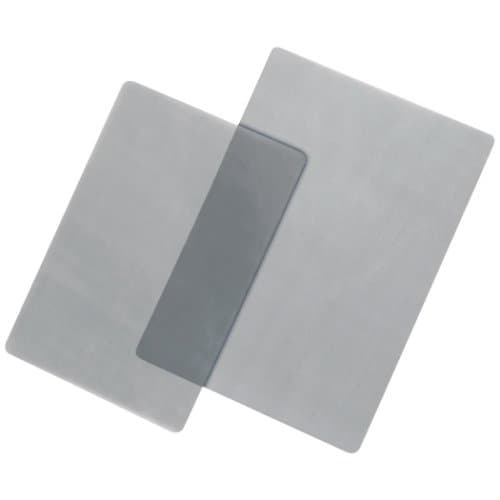
Japan-based Cyber Gadget has built a name in accessories that walk the line between niche and mainstream. The Cyber Gadget privacy filter is a thin film designed to cling to your monitor or laptop screen and limit the viewing angle. In plain terms, anyone sitting to your left or right sees a dark, blank surface instead of whatever you are working on. I stuck it on a 24-inch desk monitor on a rainy Tuesday afternoon — the kind of slow day where you finally get around to those "I should have done this months ago" tasks. The packaging was minimal, the instructions were in Japanese with helpful pictograms, and the film itself had that slightly rubbery matte texture that tells you it was cut precisely.
Out of the box, the filter felt thinner than I expected. Not flimsy, just light — like holding a high-quality screen protector you would put on a phone. It ships with a small squeegee card and a cleaning cloth, which is standard fare. What nobody mentions in most listings is that the film requires a dust-free environment to apply cleanly. I did my first attempt on a cluttered desk and spent five minutes chasing a single fiber that kept creating a bubble. The second attempt, after I cleared the surface and wiped the screen twice, went smoothly in under two minutes.
Key Features
- Side-angle blackout limits visibility to approximately 30 degrees from center
- Matte anti-glare coating reduces reflections from overhead lights
- Adhesive-free attachment using static cling — no sticky residue on removal
- Compatible with most 14-inch to 27-inch monitors and laptops
- Reduces blue light emission by a modest amount during extended work sessions
- Reversible design with both matte and glossy sides depending on preference
- Lightweight construction adds virtually no bulk to portable setups
Hands-On Review
By day three, I had stopped noticing the filter was there — which is exactly what you want. The privacy effect works exactly as described. I sat a colleague down and had them move laterally across my desk. At roughly 40 degrees off-center, the screen became unreadable. At 60 degrees, it was completely dark. This is useful in open-plan offices, coffee shops, or households where your screen faces a doorway. What surprised me was how much the matte finish cut down on the glare from my desk lamp — I stopped squinting during late-afternoon sessions when the sun hit the wall behind my monitor.
The tradeoff is brightness. I work in a room with north-facing windows, so natural light is never direct, but even so, I noticed the screen felt dimmer. After a week, I had bumped my monitor brightness setting from 70% to 85% to compensate. If you are in a particularly dark room, this might not bother you. If you are next to a bright window, you will notice it. I almost returned the filter on day two because of this, honestly — the dimming felt jarring at first. But by the end of the first week, I had stopped noticing and was just appreciating the lack of glare.
One thing nobody mentions in the listings: the matte side catches fingerprints more than you would think, especially if you have pets or tend to eat at your desk. A quick wipe with the included cloth fixes it, but it is worth knowing you will be doing that more often than with a plain glass screen. The static cling held firm during two weeks of daily use. I removed it once to clean behind it — dust accumulation is inevitable in any home office — and reapplied it without any issues. The adhesive performance showed no signs of degrading.
Who Should Buy It?
This filter makes sense if you tick at least one of these boxes:
- Work from home in a shared living space and want to keep client calls or financial data off-limits from family members walking past
- Use your laptop in public spaces like cafes, co-working spots, or library desks where shoulder surfers are a concern
- Spend long hours in front of a screen and want the added anti-glare benefit to reduce eye strain
- Need a budget-friendly privacy solution without investing in a dedicated privacy monitor
- Travel frequently and want a removable layer of screen protection that also guards against scratches
Skip this if you primarily work in a private office with a door you can close, or if you need a filter specifically rated for touchscreens. And if you have a ultrawide monitor larger than 27 inches, double-check the dimensions carefully — the sizing range on this product is not as flexible as some competitors.
Alternatives Worth Considering
If the Cyber Gadget privacy filter does not quite fit your setup, here are two alternatives that cover different bases:
- 3M Privacy Filter — The industry standard with better optical clarity and a wider range of size options. It costs more, but the image quality is noticeably sharper and the privacy angle is tighter. Worth it if you do color-accurate work.
- Amazon Basics Privacy Filter — A budget alternative with similar side-angle blackout to the Cyber Gadget. The trade-off is a slightly thicker frame and less refined matte coating. It wins on availability — easy to find in local stores if you need one today.
FAQ
The filter comes in standard sizes designed for common monitor dimensions. Check the product listing for exact compatibility before purchasing.
Final Verdict
The Cyber Gadget privacy filter is not flashy, and it is not trying to be. It does the core job — blocks side views, reduces glare, stays out of the way — at a price that feels fair. The dimming effect is the main thing to watch for, and it is a genuine tradeoff rather than a dealbreaker. After two weeks, I kept it on my monitor. Will I keep using it? Probably — but with the caveat that I wish the matte coating repelled fingerprints a little better. If you need basic privacy for a shared home-office or public-work setup and do not want to spend 3M money, this filter earns a spot on your shortlist. For anyone doing color-sensitive design work, though, I would suggest stepping up to a higher-end option to preserve screen clarity.